
As we navigate the features of the Casinoly Casino App, one important feature stands out: notification preferences. Having control over what alerts we receive can greatly improve our playing experience. Whether it’s handling promotional alerts or personalizing notifications for new gaming launches, tweaking these preferences enables us to focus on what is important most. Let’s explore how we can fine-tune these settings for an even enhanced experience.
Key Takeaways
- Enter the settings menu under your profile to personalize your notification settings in the Casinoly app.
- Adjust marketing alert frequencies to receive alerts about bonuses and deals that appeal to you the most.
- Establish preferences for alerts regarding new game releases to remain updated on captivating games suited to your preferences.
- Prioritize profile alerts, choosing desired delivery methods like push notifications or email for security and crucial updates.
- Regularly review and modify your notification settings to ensure they align with your changing playing patterns and desired experience.
Accessing Notification Preferences
When we wish to customize our interaction with the Casinoly Casino app, entering notification settings is crucial.
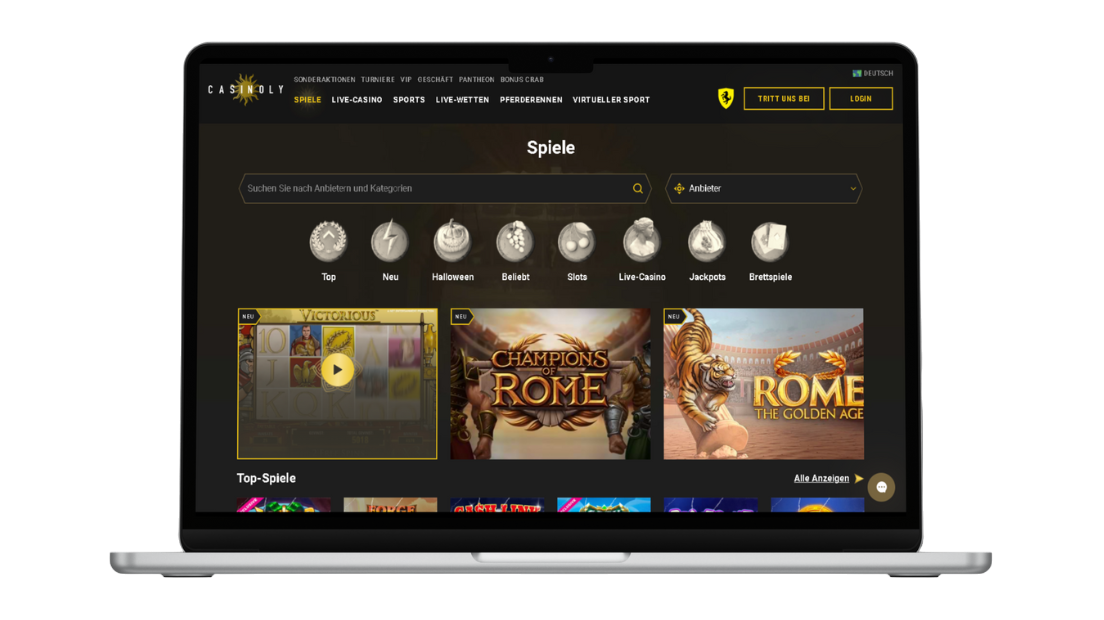
First, we’ll navigate the UI to find the preferences menu. It’s usually under our profile or profile section, allowing us to find.
Once we’re inside, we’ll find choices for adjusting app settings. It’s vital to understand what each permission involves, as this can impact our interaction.
By permitting only the alerts that are important to us, we can experience a truly personalized experience.
Navigating this part of the app enables us to take control, ensuring we get only pertinent updates.
Let’s embrace the freedom to customize our Casinoly App experience to fit our gaming habits!
Modifying Advertisement Notifications
To maximize our Casinoly playing experience, adjusting promotional notifications is a important step we shouldn’t neglect.
With the suitable marketing tactics in place, we can seamlessly adapt our alerts to match our likes. By navigating the app’s preferences, we can adjust the alert interval, deciding how often we want to be updated about thrilling rewards and special offers.
Let’s focus on the categories of notifications that really thrill us while overlooking the noise we’re not concerned with. This way, we’re equipped to stay informed about the top opportunities without becoming overwhelmed.
Choosing our alerts ensures our playing experience remains entertaining and unrestrictive, enabling us to concentrate on what truly counts—savoring our time at Casinoly!
Tailoring Release Alerts
Staying informed on release releases improves our Casinoly experience even more.
By tailoring our game alerts, we can stay ahead of the latest additions and savor captivating gameplay customized to our likes.
With the app’s options, we can choose which title developments to track, guaranteeing that we’re always in the loop about fresh titles that interest us.
This level of custom adaptation boosts our player engagement, permitting us to examine games that truly align with our style.
Let’s take control of our notifications and select the kinds that are significant most.
Jointly, we can create an exhilarating gaming experience filled with the freshest titles that represent our likes, boosting our Casinoly adventure to new heights!
Managing Account Notifications
Controlling account notifications is important for maintaining our Casinoly experience smooth and safe. By tailoring our alert preferences, we boost our user protection and stay informed without feeling burdened.
Here’s how we can control our notifications efficiently:
- Define priority levels
- Select delivery methods
- Regularly review settings
Tips for Enhancing Your Notification Preferences
Enhancing notification preferences improves our overall experience with the Casinoly app. By carrying out smart notification strategies, we can tailor our engagement with the app to suit our unique playing style.
Let’s prioritize the alerts that are crucial—whether it’s gaming news, casinolycasino.eu, promotions, or protection messages. We should test different settings to see what amplifies our fun without overwhelming us.
It’s all about discovering that harmony that keeps the excitement ongoing while making sure we don’t miss out on vital announcements. Regularly checking our preferences as our gaming habits evolve will further boost our user engagement and aid us remain connected.
Let’s embrace the freedom to personalize our notifications for the optimal experience possible at Casinoly!
Frequently Asked Questions
Can I Deactivate All Notifications in the Casinoly App?
Yes, we can deactivate all notifications in the app!
By modifying our notification preferences, we’ll enhance our app usability and enjoy our experience without distractions. It’s all about tailoring the app to fit our needs.
We appreciate that freedom to decide when and how we’re notified, so let’s examine the settings and gain control.
After all, it’s our app, and we should decide what works optimally for us!
Are Notification Settings Offered on Both iOS and Android Devices?
Yes, we can happily say that notification settings are accessible on both iOS and Android devices.
This indicates we’ve the liberty to tailor our app experience according to our user preferences. Whether we want to remain informed or mute alerts, the app caters to our choices.
Enjoying the flexibility of modifying settings lets us take control over our notifications, making sure we only get what truly matters to us.
Will Notifications Affect My Game Performance or Loading Time?
We’ve discovered that notifications don’t influence our game performance or loading time noticeably.
They might lead to a brief distraction, but when we’re attentive, our experience continues to be smooth.
If we want to stay engaged without interruptions, handling our notification settings can enhance our freedom to enjoy the game without external influences.
Let’s accept the thrill without fearing too much about those notifications; our gameplay will still excel!
How Do I Reset Default Notification Settings?
To reset our default notification settings, we can navigate to the app’s settings menu.
There, we’ll locate the section for notification preferences and tap on it. It gives us the liberty to personalize how we get updates.
We’ll just look for the option to return to default settings and select it.
This way, we can experience the app our way, keeping connected without being left out while regaining control over our notifications!
Can I Get Notifications for Upcoming Live Events or Tournaments?
Absolutely, we can get live event alerts and tournament reminders!
It’s all about staying connected and seizing those exciting moments together. If we change our notification settings, we’ll obtain timely updates that keep us informed.
We won’t miss out on exhilarating matches or big tournaments, permitting us to appreciate the freedom of choosing the events we want to monitor.
Let’s participate with the activity and remain informed!
Conclusion
To conclude, by taking a few instances to investigate and adjust the notification preferences within the Casinoly Casino App, we can significantly boost our playing adventure. Whether we want to stay informed on the most recent title introductions, unique deals, or vital profile messages, adjusting our choices enables us to keep informed without feeling overwhelmed. Let’s maximize our session in the app and guarantee we never overlook thrilling possibilities!